The Portal Company
The Portal Company

Dynamics 365 Event Portals

We create process-centric portals that connect event and relational data to automate workflows and empower attendees with self-service features.

Modernise your event management with a portal that streamlines registration and enhances your attendees’ experience.

Discuss Your Project
webinar-events

Why Events Portals?

An event portal is a central hub for your audience, managing everything from registration to post-event engagement. It replaces disconnected forms and manual processes with a unified solution, automating repetitive steps and preventing isolated data.

With a dedicated portal integrated with Microsoft Dynamics 365, you’ll enhance efficiency in promoting and managing your events within a secure, branded environment.

Why Events Portals?

An event portal is a central hub for your audience, managing everything from registration to post-event engagement. It replaces disconnected forms and manual processes with a unified solution, automating repetitive steps and preventing isolated data.

With a dedicated portal integrated with Microsoft Dynamics 365, you’ll enhance efficiency in promoting and managing your events within a secure, branded environment.

Web Portal Specialists

As specialists in bespoke portals, The Portal Company will map your event management processes with Dynamics 365 to automate and apply your unique processing rules.

We design intuitive interfaces that work securely consistently across devices, and we employ an agile methodology to ensure rapid deployment and iterative improvements as your event strategy evolves.
Event Portals

How Event Portals Work

Explore what your portal can enable for attendees, your team, and your event operations.

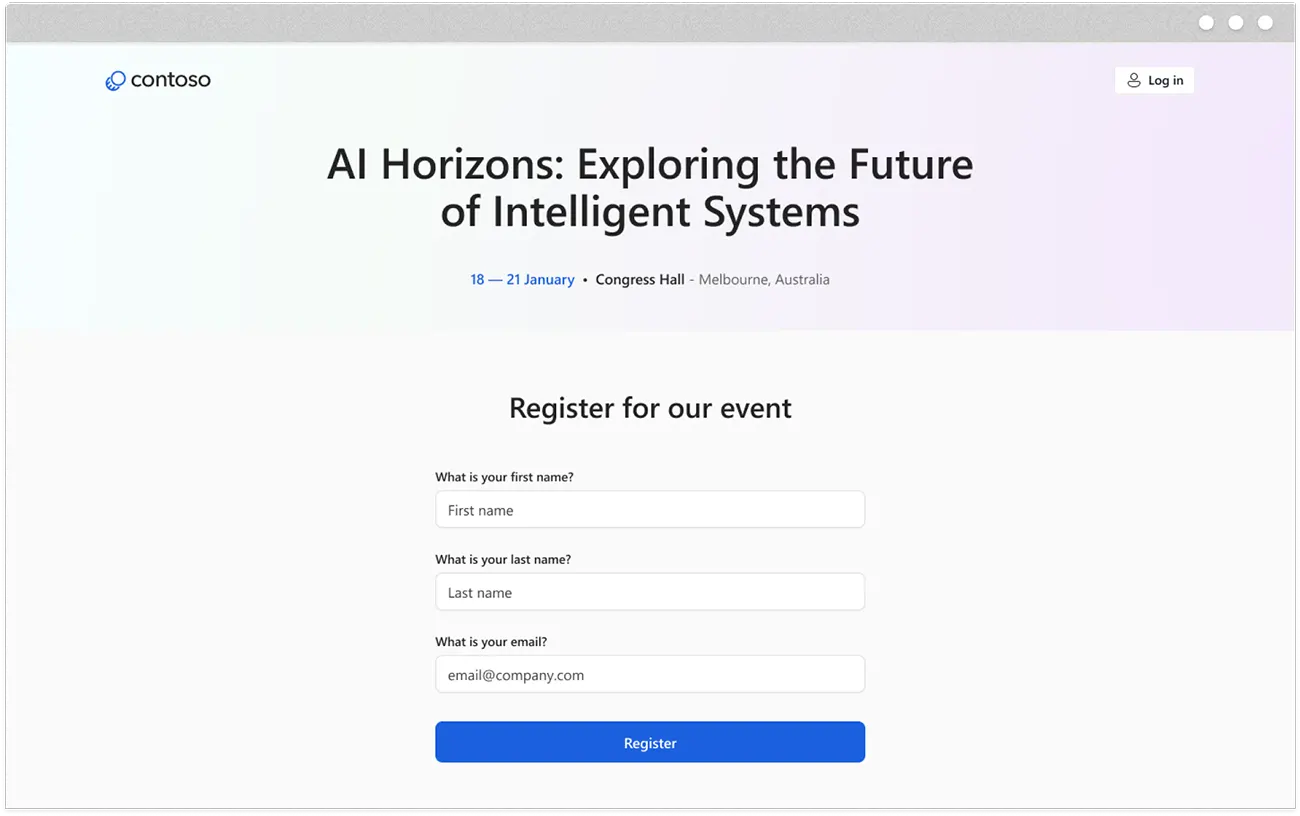
Online RegistrationIndividuals register via forms tailored to each event, capturing the information you need.
Instant ConfirmationRegistrants receive automated emails, including event details and access information.
Session SelectionFor in-person events, registrants can build their agenda by selecting sessions and managing preferences.
Manage RegistrationsIndividuals can update their information, change sessions, or cancel their registration.
ConferencesManage in-person events with multiple tracks, speaker management and venue coordination.
WebinarsHost online events with Teams integration, automatic recording, and post-event access to materials.
Hybrid EventsCombine in-person and virtual attendance to allow flexibility for participants in different locations.
Thought Leadership ForumsCreate exclusive events with waitlist management and audience segmentation for targeted follow-up.
Real-Time VisibilityMonitor registrations as they arrive, track attendance, and see which sessions are filling up.
Targeted CommunicationsSegment attendees by registration data and send personalised messages to specific groups.
Payment ProcessingAccept payments directly through your portal, with automatic processing and reconciliation.
Post-Event AnalyticsGather feedback through surveys and measure event success with attendance and engagement metrics.
CRM IntegrationRegistration data flows automatically into Dynamics 365 to avoid manual entry and data duplication.
Marketing AutomationRegistrant and attendee actions can trigger personalised campaigns, ensuring consistent follow-up.
Complete Customer ViewEvent data connects with your customer records, giving you a unified view of each attendee.
Automated WorkflowsTrigger automated actions – from sending email confirmations to updating CRM records and notifying team members.

How Event Portals Work

Explore what your portal can enable for attendees, your team, and your event operations.

Registrant Experience
Online RegistrationIndividuals register via forms tailored to each event, capturing the information you need.
Instant ConfirmationRegistrants receive automated emails, including event details and access information.
Session SelectionFor in-person events, registrants can build their agenda by selecting sessions and managing preferences.
Manage RegistrationsIndividuals can update their information, change sessions, or cancel their registration.
Event Type
ConferencesManage in-person events with multiple tracks, speaker management and venue coordination.
WebinarsHost online events with Teams integration, automatic recording, and post-event access to materials.
Hybrid EventsCombine in-person and virtual attendance to allow flexibility for participants in different locations.
Thought Leadership ForumsCreate exclusive events with waitlist management and audience segmentation for targeted follow-up.
Your Operations
Real-Time VisibilityMonitor registrations as they arrive, track attendance, and see which sessions are filling up.
Targeted CommunicationsSegment attendees by registration data and send personalised messages to specific groups.
Payment ProcessingAccept payments directly through your portal, with automatic processing and reconciliation.
Post-Event AnalyticsGather feedback through surveys and measure event success with attendance and engagement metrics.
Data Integrations
CRM IntegrationRegistration data flows automatically into Dynamics 365 to avoid manual entry and data duplication.
Marketing AutomationRegistrant and attendee actions can trigger personalised campaigns, ensuring consistent follow-up.
Complete Customer ViewEvent data connects with your customer records, giving you a unified view of each attendee.
Automated WorkflowsTrigger automated actions – from sending email confirmations to updating CRM records and notifying team members.

Benefits of Events Portals

Less Event Admin



Eliminate manual data entry to complete registrations and send confirmations.

Single View



Connect registration, marketing, and CRM data in one place for complete visibility.

Consistent Messaging



Send timely, coordinated messages from registration through post-event follow-up.

Lower Costs

ï…”

Reduce admin burden and operational risk by automating routine event tasks.

Why Choose The Portal Company 

  • ★ We specialise in creating tailored portals using connected Microsoft technology.
  • ★ Our team embraces complex projects that other agencies avoid.
  • ★ Proven expertise in building websites that integrate with key systems and data sources.
  • ★ Senior developers with 15+ years of Dynamics 365 and portals experience.
  • ★ No offshore teams - we offer UK-based consultants and developers.

Our Microsoft Portals Expertise

We use Microsoft technology to create secure, data-powered websites that modernise processes and delight end users. Our portals are built using products that include:

Power Pages Icon

Power Pages

Customising adaptable templates to specific portal requirements while ensuring functionality and design finesse.

Azure Icon

Azure Blazor Apps

Offering vast customisation options for sophisticated portals, ensuring scalability, security, and comprehensive integration.

Power Automate Icon

Power Automate

Increasing scale and efficiency by triggering automated actions in response to portal interactions.

Dynamics 365 Icon

Dynamics 365

Seamlessly integrating business processes between portals and Dynamics CRM, including cases, leads, contracts, and more.

Power Apps Icon

Power Apps

Connecting processes managed in other business apps with your portal, such as subscriptions, events, and registrations.

Power BI Icon

Power BI

Enhancing self-service portals with dynamic, interactive data visualisations that offer insightful analytics.

Expert Web Portal Integrations

Our team uses Microsoft’s cloud technology to integrate portals with third-party services to connect your data and automate processes. These examples include:

smartsearch
smartsearch
smartsearch
smartsearch
smartsearch
loqate
stripe
dunnbradstreet
business-central
smartsearch
smartsearch
smartsearch
smartsearch
smartsearch
loqate
stripe
smartsearch
smartsearch

Events Web Portals: FAQs

What is the Power Pages Event Portal?

The Power Pages template is pre-built for the event planning module in Dynamics 365 Customer Insights. This template provides a ready-made, customisable structure to deploy a branded website with event listings, session details, and registration forms, all integrated with Dynamics 365 data.

How does an event portal differ from a registration form?

A basic registration form captures data for a single event and typically stores it in isolation from your other business systems.

In contrast, an event portal provides a complete hub for managing multiple events, supporting the entire event lifecycle from promotion through post-event engagement. It integrates directly with your CRM, allowing you to create sign-up forms once and use them across multiple events.

What types of events can you manage with a portal?

Event portals work for any event type: in-person conferences with hundreds of attendees, virtual webinars, hybrid events combining both, workshops with breakout sessions, trade shows with exhibitor management, and thought leadership forums.

Each portal adapts to your event structure to manage multiple events simultaneously from a single hub.

What is the typical implementation timeline?

The portal implementation timeline depends on your requirements. A standard implementation using the Power Pages template to handle event registrations can be deployed relatively quickly.

If you need custom features, such as self-service registrant management, attendee networking capabilities, or post-event workflows, the timeline will be longer. We will work with you to define a realistic schedule based on your needs and priorities.

Discuss Your Project

Contact us to discuss your requirements and explore how we can help you implement a custom events portal.