
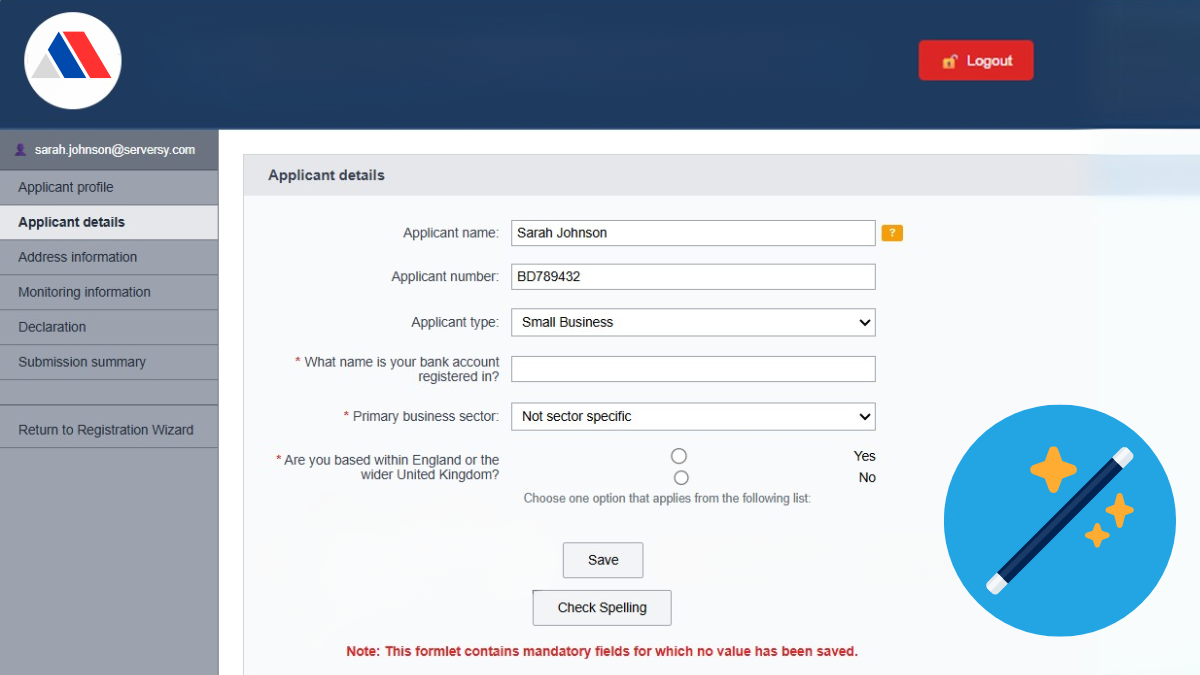
Using some web portals feels like stepping back 20 years. The interface looks dated, navigation feels clunky, and people find themselves fighting the website rather than working with it.
For users, these outdated self-service portals have become sources of frustration. Even worse, there isn’t always any alternative. They may be the only choice if you need to complete a grant application, submit an invoice or make a support request. For some, using these antiquated sites feels like a form of purgatory.
But here’s the critical question: if your legacy portal fails to meet user expectations, do you need to start from scratch, or can you breathe new life into what you already have?
The Paralysis of Legacy Portal Management
You’re likely caught in an uncomfortable position if you’re responsible for one of these struggling portals. You hear the complaints from users, colleagues and other stakeholders. You see the metrics showing declining engagement and rising support requests through different channels. You know something needs to change.
Yet when you start exploring options, the costs seem overwhelming. Complete portal replacements could come with a six-figure price tag, lengthy implementation timelines, and the risk of disrupting other initiatives. It’s no wonder the prospect of high costs and protracted projects can feel daunting.
So, your portal struggles on, gathering technical debt and user frustration while decision-makers wrestle between the two evils of costly transformation or ongoing decline.
Many organisations are caught in this cycle, aware that their portal requires attention but unable to justify investing in an expensive new website. Critical security updates are carried out, but little else is addressed.
This paralysis is understandable, but it’s often based on the assumption that an established portal should be entirely replaced. The reality is more nuanced. Not every failing website needs to be rebuilt entirely, and not every user experience problem requires a fundamental technology change.
The key is understanding where your specific problems originate. That requires looking beyond the surface frustrations to examine the underlying architecture that determines your portal’s functions.
The Three-Layers Behind Every Web Portal
Every data-driven portal is built on three distinct layers, each serving a specific purpose and presenting different improvement opportunities.
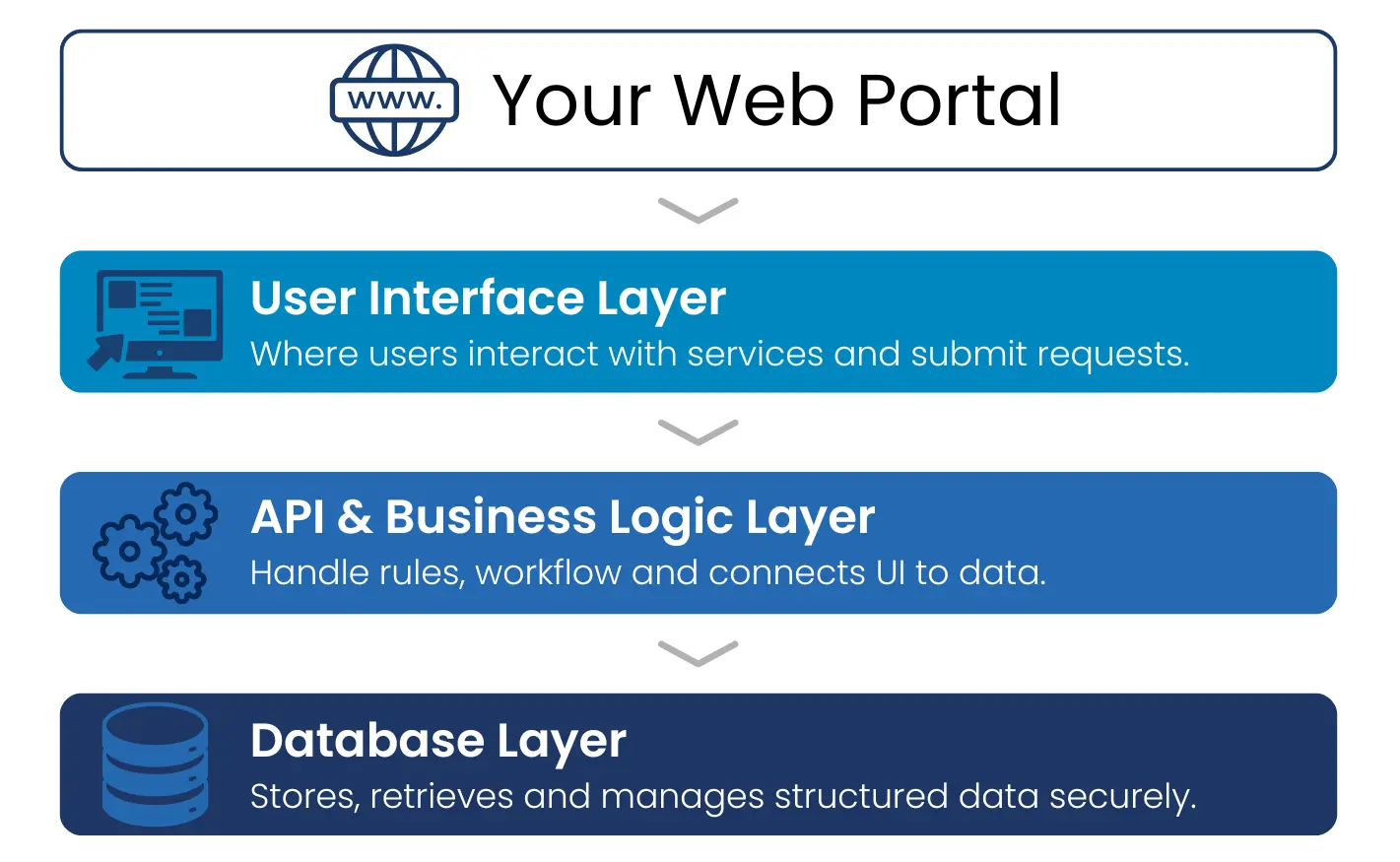
Think of these layers like the foundation, structure, and facade of a building – you might dislike the outward appearance, but that doesn’t mean you need to demolish everything to make progress.
The Database Layer sits at the foundation, housing all your critical information, including user data, transaction histories, application records, and process states. For organisations using Microsoft technology, this often means integration with Dynamics 365 and storage in Microsoft Dataverse. This layer is typically the most stable part of your portal ecosystem, with data integrity remaining strong even when other components show their age.
The Application Layer handles business logic, process orchestration, and data access. This is where authentication occurs, workflows are managed, and your portal connects to other systems. Modern API application layers can integrate with payment processing, ERP systems, and numerous other platforms that weren’t available when many legacy portals were first built. This layer is the intermediary between your database and the portal interface.
The User Interface Layer is where users interact with your portal, representing the visual design, navigation structure, and overall user experience. This is typically where older portals show their age most obviously, especially with outdated interfaces that don’t work well on mobile devices.
However, the interface can often be reimagined entirely without impacting the underlying database or significantly altering the application layer, which can greatly reduce the complexity and cost of these projects.
Strategic Assessment
Before deciding whether to invest in portal modernisation or make a fresh start, we recommend evaluating each layer independently.
If all three layers fail, the case for a complete rebuild becomes compelling. This typically occurs with very old systems built using outdated technologies. Typically, these portals that can’t integrate with today’s systems lack modern security features and cannot be feasibly developed.
When the foundation remains strong, organisations may discover their database integrity remains solid even when other portal components struggle. Well-structured data is crucial, so preserving this while improving other layers can provide significant advantages.
The user interface layer opportunity represents the most promising scenario for portal modernisation. If your database and application layers are fundamentally sound, but your presentation is failing, you may achieve dramatic improvements through focused development of your portal frontend.
Beyond Cosmetic Changes: Real Modernisation
This isn’t a case of putting lipstick on a pig. Practical user interface enhancements involve far more than updating colours and fonts. True modernisation addresses fundamental user experience challenges and adds capabilities that weren’t possible with older technologies.
Reimagining User Workflows means adapting processes based on user needs rather than system limitations. This might involve consolidating multiple steps into single actions or offering multiple pathways based on user preferences. The goal is to re-engineer processes that people find counterintuitive.
Implementing responsive design ensures portals work seamlessly across devices, adapting layout and functionality to match user context and device capabilities.
Ensuring accessibility means your website will be inclusive and usable by everyone for equal access.
Adding dynamic content leverages CRM data to provide personalised experiences relevant to each user’s situation and relationship history, making your portal more helpful.
Integrating knowledge resources incorporates educational content, such as video tutorials, and contextual help that guides users through complex processes, reducing frustration and increasing completion rates.
Implementing intelligent assistance includes features like natural language search, automated suggestions, and smart defaults that reduce the cognitive load required to use the portal effectively.
Design principles ensure website simplicity without overwhelming users. Key elements include:
- Logical, structured menus
- Prominent search
- Limited text blocks
- Clean and consistent layout, which avoids visual clutter
For example, visual hierarchies typify this approach, where key elements catch the eye based on their importance. Many of these design principles are rooted in Hick’s Law and Fitt’s Law.
Industry-Specific Challenges
Different industries face unique portal challenges, but the three-layer assessment applies across all sectors. Examples include:
Non-profits often struggle with outdated grant application portals that create barriers to funding access. Modernisation can streamline application processes while maintaining the compliance and reporting capabilities funders require.
Manufacturers may struggle with aged supplier portals designed for simpler processes that now need to handle supply chain coordination. Modernisation can enable real-time inventory visibility, automated ordering, and mobile access while preserving valuable supplier relationships.
Healthcare portals face increased challenges around privacy, accessibility, and user diversity. Modernisation often simplifies complex processes while ensuring accessibility across different user populations without compromising security.
Automotive dealer portals reflect industry complexity but often have user interfaces that haven’t kept pace with changing business processes. Modernisation can streamline workflows and support mobile access while maintaining detailed record-keeping requirements.
The Business Case for Strategic Modernisation
Strategic portal modernisation delivers significant returns while minimising risk, cost and disruption.
Improved User Satisfaction increases retention and engagement while reducing support costs. Users who can accomplish goals efficiently are more likely to remain engaged and less likely to seek alternatives.
Increased Operational Efficiency comes from automated processes and better data collection. Modern portals capture user behaviour data that helps organisations understand service usage.
Enhanced Competitive Position gives you advantages over organisations with outdated systems. Users increasingly expect digital experiences to match consumer application quality.
Making the Decision
Start with an honest assessment of each layer, combining technical analysis with user feedback.
Consider the total cost of ownership over a realistic timeframe for wholesale development involving migration to a new site compared to a smaller-scale project primarily focused on your portal interface, or the risks of doing nothing.
The Path Forward
Your outdated portal doesn’t have to remain a permanent source of frustration.
By evaluating each layer independently and focusing on improvements where they’ll have the most significant impact, you can often achieve your goals more efficiently than initially expected.
The three-layer framework gives you a structured approach to evaluation, helping ensure your portal investment delivers results your organisation and users expect. Whether you choose modernisation or a replacement portal, the most important step is making an informed decision based on a clear understanding of your current situation and future needs.
At The Portal Company, we bring deep expertise in both modernisation and new development approaches. Our team can help you evaluate your current portal, understand your options, provide guidance and implement solutions that transform user experiences.
Ready to evaluate your portal’s potential? Contact The Portal Company to discuss your situation and explore your options.