
Form Portals for Dynamics 365
We help organisations improve data capture by efficiently processing applications, registrations and other forms via dedicated portals that integrate with Dynamics 365.
Are Forms Failing Your Business?
Many organisations rely on forms to drive critical processes, from applications and questionnaires to assessments and compliance checks. But manually processing paper forms, Word documents, and PDFs takes time and risks data-entry errors.
Additionally, basic web forms offer limited capabilities to handle complex scenarios, resulting in high abandonment rates, incomplete data, and inefficient workflows that frustrate teams and the people completing your forms.
A Smarter Way to Capture Data
Our form portals are designed to solve these challenges. Working within your Microsoft environment, they provide a configurable and scalable solution for most data collection needs.
Unlike third-party forms, our solution connects natively with Dynamics 365 and Power Apps. This means data from every submitted form flows directly into your CRM, eliminating manual entry and triggering automated actions.
From complex applications to detailed clinical assessments, you can create branded, multi-step forms that include conditional logic to consistently collect complete, accurate data.
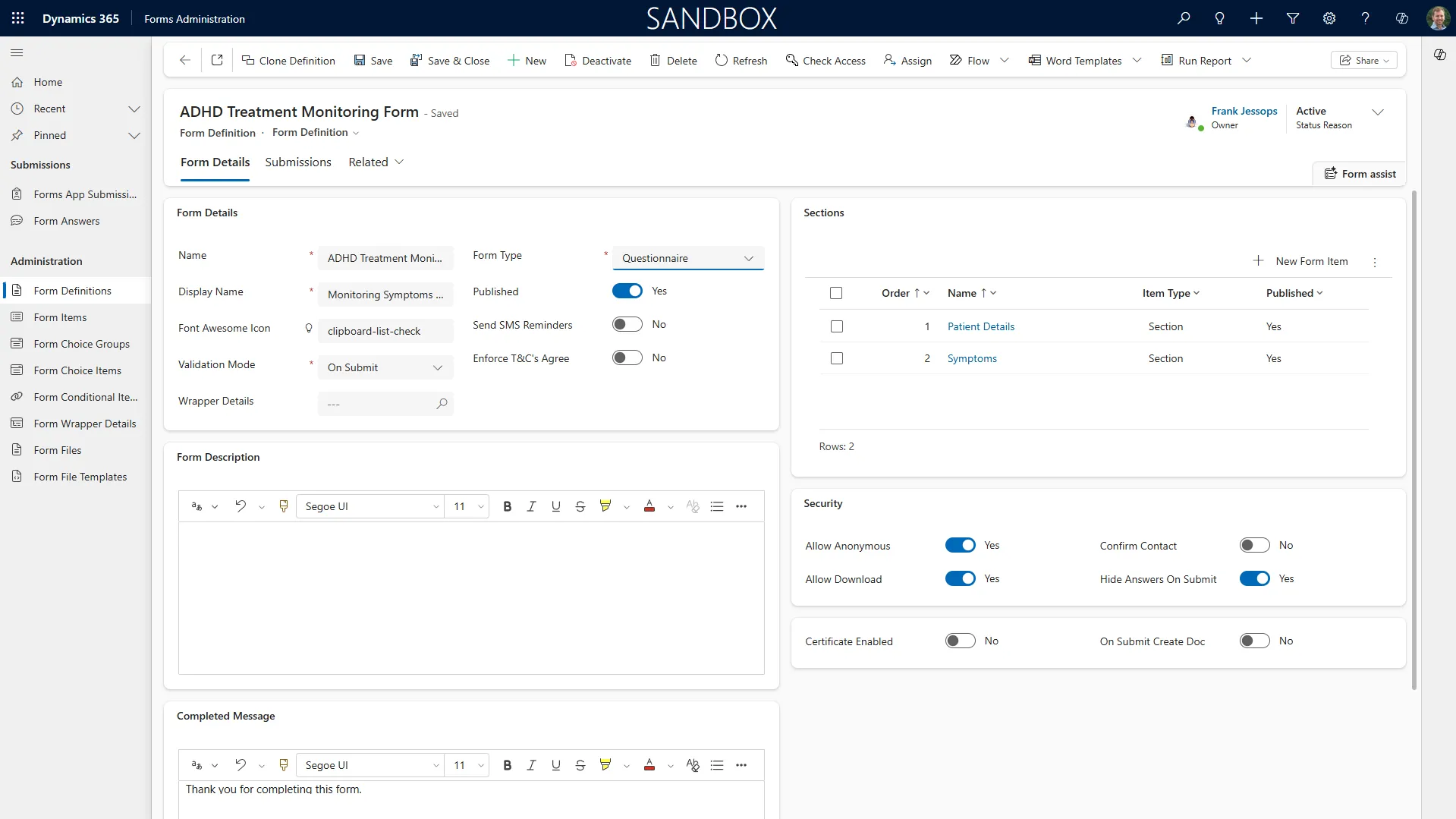
Modernised Form Processing
Quickly enhance your data collection by replacing inefficient forms with an integrated solution.
Flexible Forms for Any Requirement
Our form portals are ideal for any requirement to systematically collect form data and apply this to business processes. You can create forms that support critical workflows or handle one-off requirements.
Examples include:
- ★Grant & Funding Applications: Manage these lifecycles, from eligibility checks with branching logic to final reporting.
- ★Employee & Volunteer Screening: Simplify onboarding with multi-stage forms for background checks, reference submissions, and document verification.
- ★Professional Certification & Audits: Conduct detailed audits and assessments with response grids and evidence upload capabilities.
- ★Tenant & Property Management: Handle maintenance assessments, tenant screening applications, and compliance reporting efficiently.
- ★Healthcare & Clinical Assessments: Guide patients or clinicians through questionnaires and suitability forms with conditional pathways.
- ★Investment & Advisory Services: Capture detailed client information for suitability assessments and risk profiling while ensuring regulatory compliance.
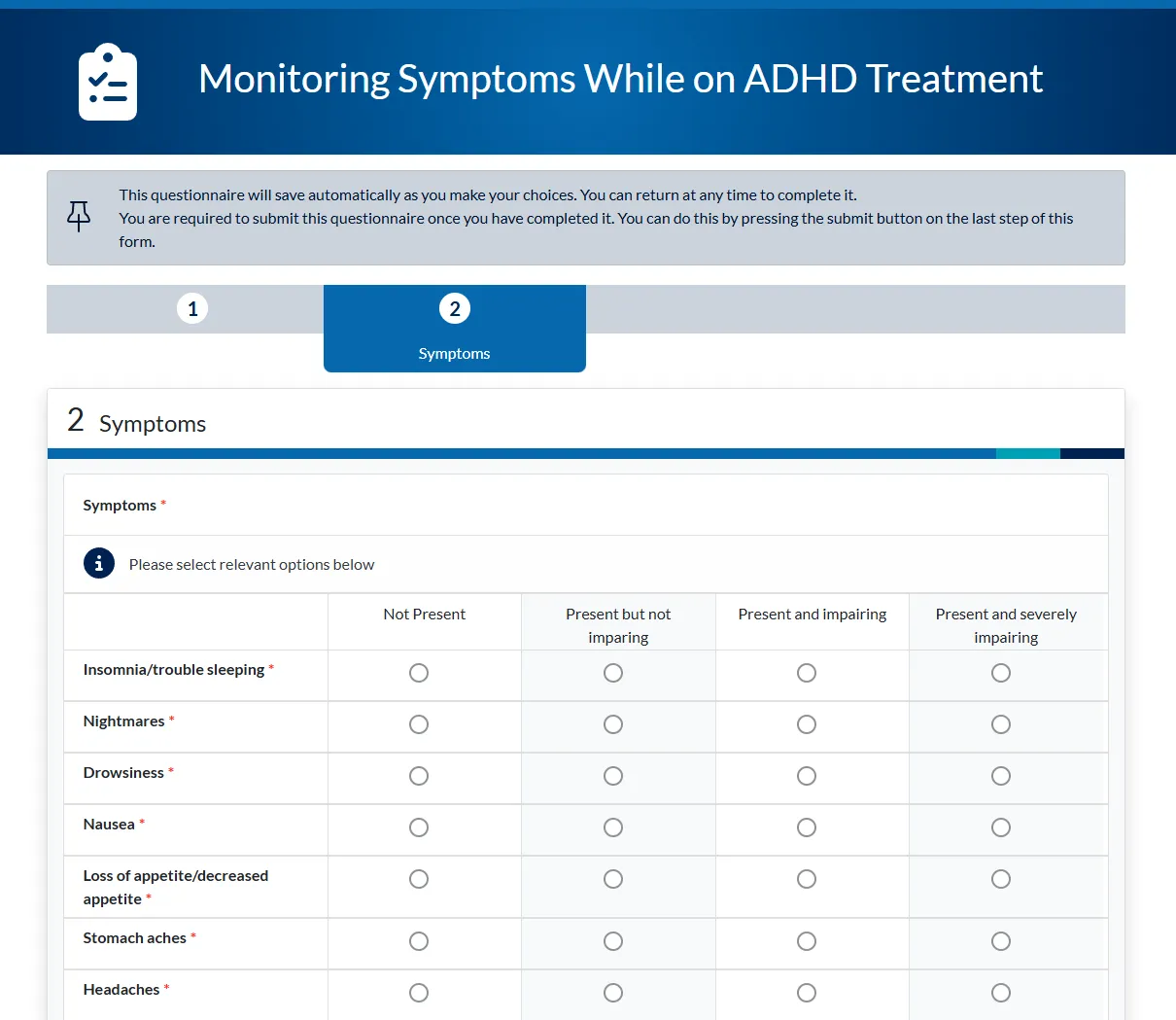
Flexible Form Features
Our portals include a rich set of form features to handle data collection needs, from the simple to the highly complex.
Intelligent & Dynamic Forms
- Conditional Logic: Show or hide questions and pages based on previous answers.
- Flexible Field Types: Simplify form completion with various field options including dropdown lists, check boxes and radio button groups.
- Multi-Step Journeys: Break complex processes into manageable steps with progress indicators to guide users and reduce abandonment.
Seamless Dynamics 365 Integration
- Pre-populate Form Fields: For identifiable users, you can pull data directly from a related Dynamics record to autofill specific field values.
- Update CRM Records: Enable form submissions to update table fields on parent or related records, like contacts, assessments or certifications.
- Native Data Sync: All data is written back to Microsoft Dataverse for instant access in Dynamics 365 - no third-party connectors required.
Assured Data Accuracy & Integrity
- Loqate Address Data: Integrate Loqate for address lookup and verification.
- Field Validation: Set data validation rules (e.g., for email formats or numbers) to ensure correct data.
- Secure Document Uploads: Allow users to securely upload documents that can be automatically filed in SharePoint.
How we partner with you
See your portal before you decide. Tell us about your processes and what you need your portal to achieve, and we'll build a working prototype.
We’re easy to work with. Our approachable experts offer perceptive, jargon-free advice. You can expect a candid conversation with a portal expert from your first call.
We don’t overpromise. We’ll adapt to your evolving needs by delivering an innovative portal. Our lasting partnerships stem from sincerity - listening first, with no exaggerated claims.
Have a client who needs a portal? Partner with us →






Frequently Asked Questions
Discuss Your Requirements
Contact us to find out how you can deploy integrated forms that improve your data capture.